Understanding TradingView: An Overview
In the ever-evolving landscape of trading, having the right tools can make all the difference. TradingView is one such tool that has gained immense popularity among both novice and experienced traders. This platform is designed to consolidate the chaotic world of financial markets into an organized, intuitive interface that facilitates in-depth analysis and strategy development. With its comprehensive features, TradingView allows users to manage various assets, including stocks, forex, cryptocurrencies, and derivatives, all in one place.
What is TradingView and Its Core Features?
TradingView is a cloud-based charting platform that provides real-time data and a rich set of analytical tools. Its core features include:
- Advanced Charting Tools: Users can customize charts with dozens of technical indicators, drawing tools, and candlestick patterns.
- Social Networking: A community-driven platform where traders can share ideas and strategies through public charts, scripts, and chat rooms.
- Multi-Device Accessibility: Accessible from any device via web or mobile apps, ensuring traders stay connected and updated on-the-go.
- Pine Script: A programming language that allows users to create custom indicators, alerts, and trading strategies.
- Alerts and Notifications: Set alerts for specific market conditions or price movements to stay informed without constant monitoring.
The Benefits of Using TradingView for Market Analysis
One of the key advantages of TradingView is its user-friendly interface, which simplifies the analysis process for traders at all levels. Some specific benefits include:
- Comprehensive Data: The platform aggregates data from various markets and exchanges, providing real-time information that can enhance decision-making.
- Collaboration and Learning: With a robust community sharing insights and strategies, users can learn from others’ experiences and improve their trading skills.
- Customization Options: Traders can tailor their workspace to match their specific needs and preferences, which can lead to improved efficiency and focus.
- Integrated Tools: By combining charting, alerts, and a community network, TradingView creates a holistic environment for trading analysis.
How TradingView Integrates Multiple Market Data Types
TradingView supports a variety of asset classes, allowing users to seamlessly switch between stocks, forex, cryptocurrencies, and more. This integrated approach streamlines the analysis process, enabling traders to gain insights across different markets without the hassle of switching platforms. Additionally, the ability to access macroeconomic data, earnings reports, and financial news within the same ecosystem further enhances the platform's utility.
Getting Started with TradingView
Creating Your TradingView Account: Step-by-Step Guide
To get started with TradingView, follow these simple steps:
- Visit the TradingView Website: Go to the official website and click on the sign-up button.
- Choose Your Plan: Select a free or paid plan that suits your trading needs. The free version offers many essential features to get you started.
- Fill in Your Details: Provide your email address and create a password, or use a social media account for quick registration.
- Customize Your Profile: Set up your profile by adding relevant information about your trading interests and preferences.
- Explore the Platform: Once registered, take time to familiarize yourself with the various features and tools available.
Essential Tools and Features to Explore First
After creating your account, there are several key features you should explore:
- Charting Interface: Start by examining the advanced charting capabilities, including indicator overlays and trend analysis tools.
- Watchlists: Create watchlists to monitor your favorite stocks or assets, making it easier to track performance.
- Alerts: Set up price alerts based on specific criteria to stay informed about market movements.
- Public Library: Explore the public library of scripts and charts shared by other traders for inspiration and learning.
How to Customize Your Trading Environment for Optimal Use
Customizing your TradingView workspace can greatly enhance your trading efficiency. Here are a few tips:
- Change Chart Types: Experiment with different chart types such as candlestick, line, or bar charts based on what best suits your analysis style.
- Set Up Multiple Layouts: Create layouts for different trading strategies, such as day trading versus long-term investing, to streamline your workflow.
- Customize Indicators: Choose indicators that align with your trading strategy and adjust their parameters to fit your analysis needs.
- Use Themes: Switch between light and dark themes or customize colors to reduce eye strain and enhance visibility while trading.
Building Effective Trading Strategies Using TradingView
Utilizing Technical Indicators for Better Decision-Making
Technical indicators are essential tools for analyzing market trends and making informed trading decisions. TradingView offers a wide range of indicators, including:
- Moving Averages: Great for identifying trends and potential reversal points.
- Relative Strength Index (RSI): Helps assess whether an asset is overbought or oversold.
- Bollinger Bands: Provides insights into market volatility and potential price breakouts.
- MACD: A trend-following momentum indicator that can signal potential buy or sell opportunities.
Creating Alerts and Notifications for Market Changes
Setting alerts can dramatically improve your trading efficiency by notifying you of key market changes. To create alerts:
- Select the asset you want to monitor on the chart.
- Right-click on the chart and choose "Add Alert."
- Set your conditions (e.g., price crossing a particular level) and choose how you want to receive notifications (mobile, email).
Backtesting Strategies with TradingView's Strategy Tester
Backtesting is a critical step in developing effective trading strategies. TradingView's Strategy Tester allows you to:
- Test your strategies on historical data to evaluate performance.
- Analyze key metrics such as win rate, maximum drawdown, and profit factor.
- Optimize settings and indicators to enhance the effectiveness of your strategy before applying it in a live market.
Advanced Trading Techniques on TradingView
Implementing Pine Script for Custom Indicators and Alerts
Pine Script is TradingView’s unique programming language that allows users to create custom indicators and strategies. By utilizing Pine Script, you can:
- Develop tailored indicators that suit your specific trading approach.
- Automate alerts based on complex criteria that standard tools may not cover.
- Share your scripts with the TradingView community or use scripts created by others.
Collaborating with the TradingView Community for Insights
The TradingView community is an invaluable resource for gaining insights and ideas. Engaging with fellow traders can provide:
- Access to diverse trading strategies and styles.
- Feedback on your trading ideas and plans.
- Opportunities for collaboration or mentorship.
Tips for Maximizing Your Trading Efficiency with TradingView
To fully leverage TradingView's capabilities, consider these tips:
- Regularly Update Your Knowledge: Stay informed about new features and tools by following TradingView’s updates and community discussions.
- Participate in Webinars and Tutorials: Take advantage of educational resources offered by TradingView to enhance your trading skills.
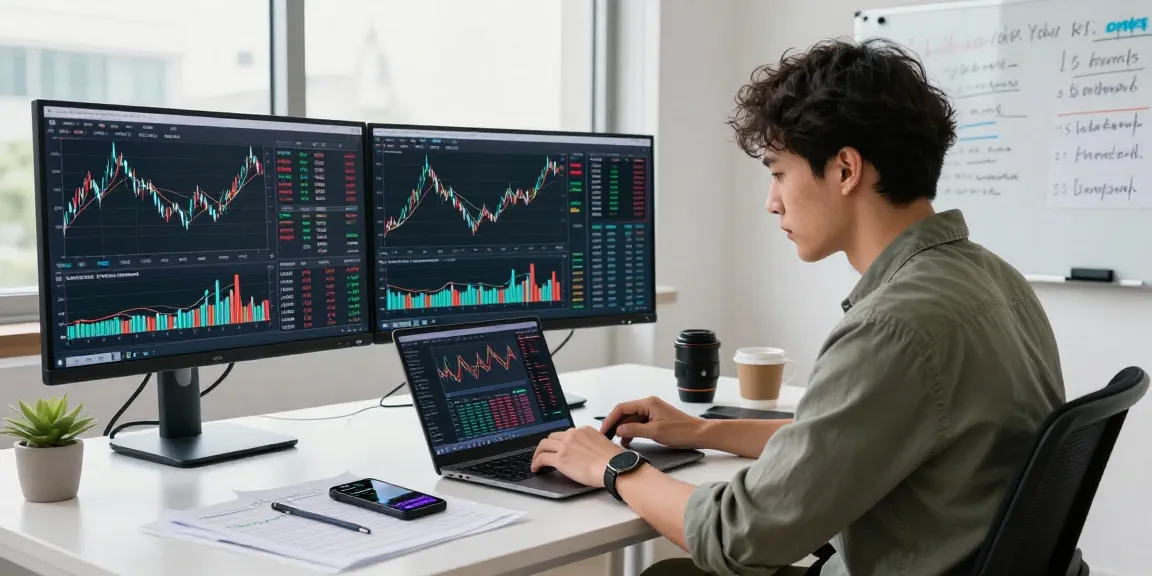
- Use Multiple Monitors: If possible, use multiple screens to increase your efficiency while analyzing various markets simultaneously.
Future Trends in Trading and Technology with TradingView
How AI and Machine Learning are Shaping Trading Strategies
As technology advances, the integration of artificial intelligence and machine learning into trading platforms is becoming increasingly common. TradingView is expected to incorporate these technologies to:
- Provide more sophisticated analytics and predictive modeling.
- Enhance automated trading capabilities by using historical data to forecast future market movements.
- Facilitate advanced algorithmic trading strategies that adapt in real-time.
The Evolution of Cryptocurrency Trading on TradingView
Cryptocurrency trading has exploded in popularity, and TradingView has embraced this trend by offering:
- Access to a wide array of cryptocurrencies, including major coins and altcoins.
- Real-time market data feeds to support effective trading decisions in this volatile market.
- Community-driven insights and analyses specifically geared towards cryptocurrencies.
What to Expect from TradingView in 2026 and Beyond
Looking ahead, we can anticipate several exciting developments from TradingView:
- Enhanced user interfaces that make analysis more intuitive.
- More integrated financial tools, allowing for seamless transitions from analysis to execution.
- Increased collaboration features that enhance community engagement and idea sharing.
What is TradingView's pricing model?
TradingView operates on a freemium model, offering basic features for free while providing paid subscription tiers for advanced features and tools. As of 2026, the pricing options include:
- Basic: Free access with limited indicators and functionalities.
- Pro: Monthly subscription with access to more indicators and no ads.
- Pro+: Adds additional features such as multi-monitor support.
- Premium: Offers the complete TradingView experience with all tools accessible.
Can I trade directly through TradingView?
Yes, in supported regions, TradingView allows users to connect directly to brokerage accounts for executing trades, making it a comprehensive platform for analysis and trading.
What are the best practices for using TradingView?
To maximize your experience with TradingView, consider the following best practices:
- Familiarize yourself with the platform's extensive resources and community.
- Regularly backtest your strategies and adjust them based on performance metrics.
- Engage with the community for shared knowledge and insights.
How does TradingView compare to other platforms?
TradingView stands out due to its blend of advanced tools, community collaboration, and ease of use, making it a preferred choice compared to other trading platforms that may lack such integrated features.
What resources are available for TradingView users?
Aside from the wealth of built-in tools, TradingView users have access to educational content, tutorials, webinars, and a vibrant community for discussion and idea sharing.